CASE STUDY 02 — SERVICE DESIGN · BOOKING EXPERIENCE

QF Venue Booking: clarity to book.

Making search, comparison and reservation clearer for people booking spaces across Qatar Foundation — from first idea to confirmed venue.

INFORMATION ARCHITECTUREBOOKING FLOWDESIGN SYSTEMWEB · SERVICE
← Back to workOpen prototype →
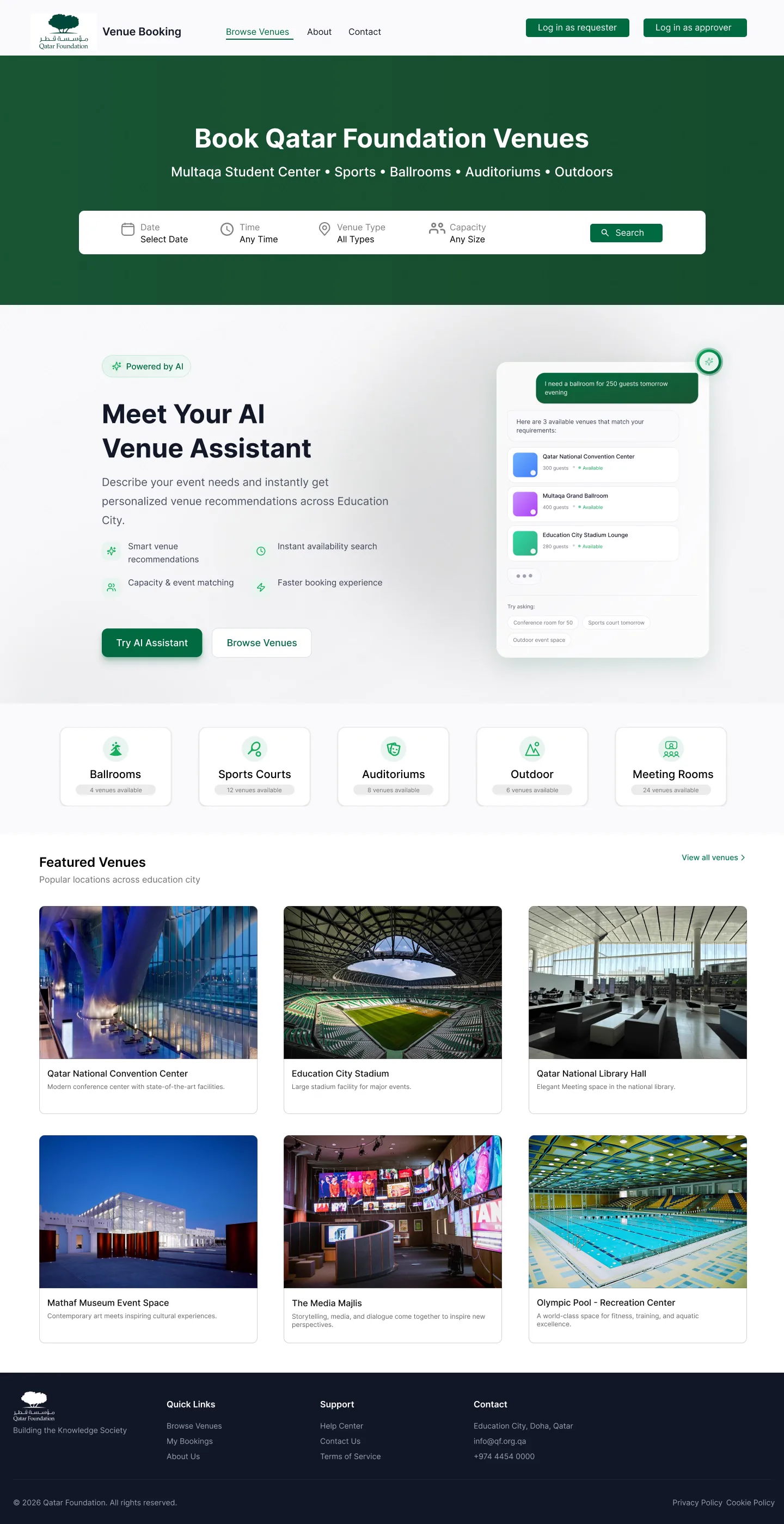
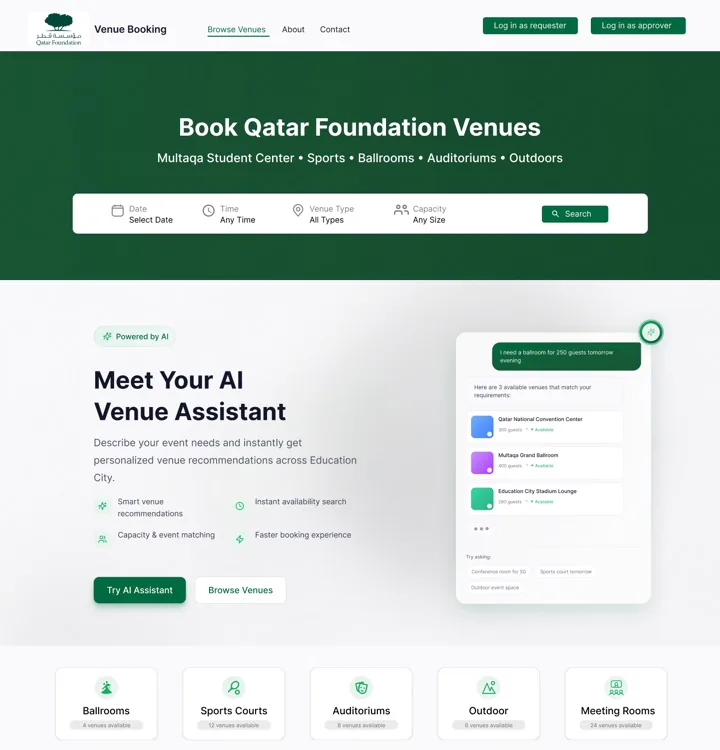
QF Venue Booking website home page design in Figma

01 — PROBLEM STATEMENT

Great venues, hard to compare.

Users struggled to find the right space, understand capacity and amenities, compare options, and complete a request with confidence. Content was dense, filters unclear, and steps felt fragmented across the journey.

02 — USER PERSONA

Organizers under time pressure.

ORGANIZERFatima, 29 · Event coordinator

Needs date, capacity, location and price in one scan. Wants to shortlist 3 venues and request fast.

ADMIN — REVIEWERQF venues team

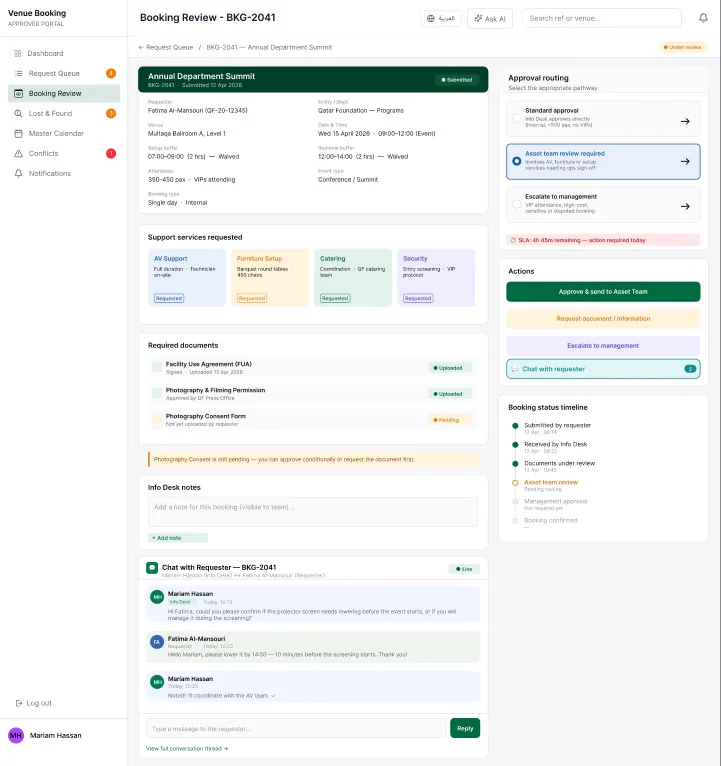
Needs complete, structured requests to approve quickly without back-and-forth on missing details.

03 — SOLUTIONS

Search, compare, then commit.

Guided search

Where, when, how many — surfaced up front with plain language and smart defaults.

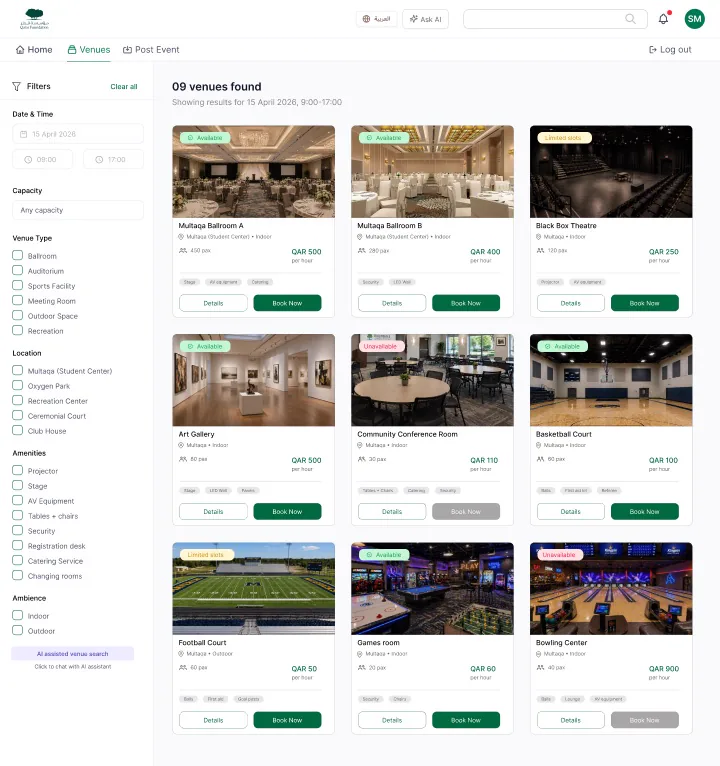
Comparable cards

Capacity, amenities, location and availability in identical hierarchy for fast scanning.

Stepped request

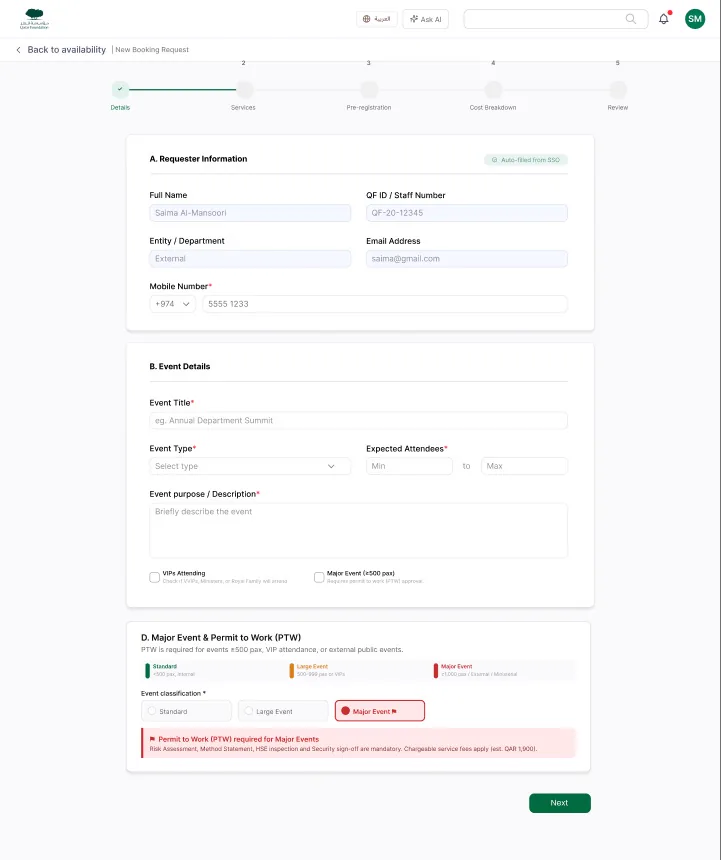
Details → requirements → review. Progress visible, errors inline, no dead ends.
04 — DESIGN SYSTEM

UI Design

Colors & Typography

007A55
165130
101828
FFFFFF
2F7AC7
D4EDFF
EFF7FF
F3F4F6
666666

Inter

RegularMediumSemiBold

Aa Bb Cc Dd Ee Ff Gg Hh Ii Jj Kk Ll Mm Nn Oo Pp Qq Rr Ss Tt Uu Vv Ww Xx Yy Zz

1 2 3 4 5 6 7 8 9 0

Body & UI: Inter — Regular · Medium · Semi Bold

Design System

Buttons
StatusSubmittedApprovedPending
Search field
All types
Approval stepper
Request submittedJust now
Info Desk reviewEstimated 4 hours
ConfirmedPending approvals
Reference card
REFERENCE NUMBERQF - MUL - 0482
Venue card
Education City StadiumLarge stadium facility for major events.

05 — USER FLOW

From idea to booked.

01 DISCOVERWhere will your next idea take place?
02 FILTERDate, capacity, type, amenities.
03 COMPARESide-by-side cards, same data.
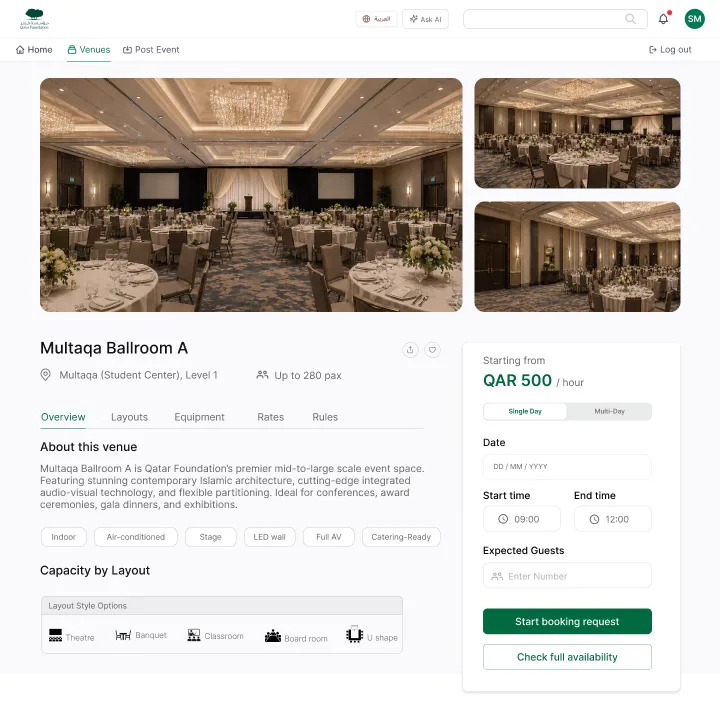
04 DETAILGallery, rules, availability.
05 REQUESTSubmit, track, confirm.

06 — FINAL DESIGN OUTPUT

Booking flow that converts.

QATAR FOUNDATION · BOOK A VENUEWhere will your next idea take place?

Search hero + filter system + venue cards + detail + stepped request. Designed for clarity, handoff-ready with auto-layout components.

07 — ALL SCREENS

Every screen,
end to end.

Booking, approval, operations and analytics — each role gets the screens it needs, built on one component system.

Open prototype →
QF landing page
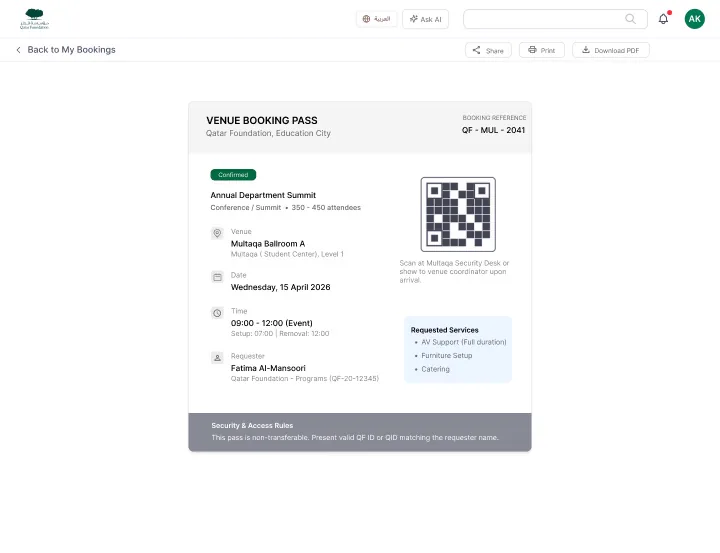
QF booking pass
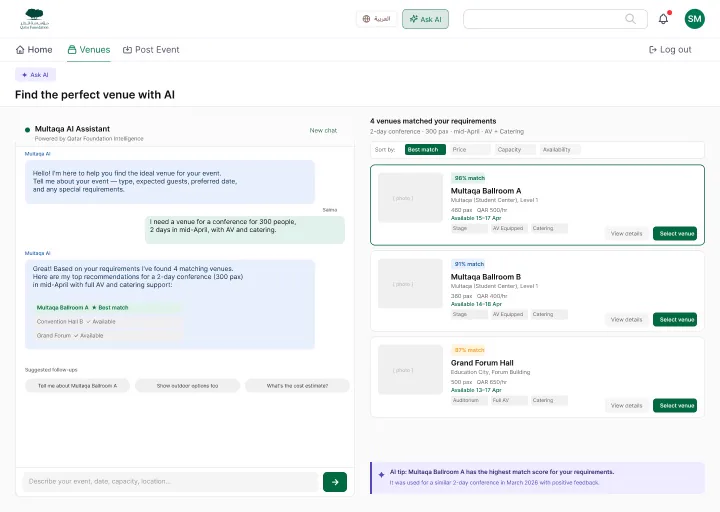
QF AI venue recommender
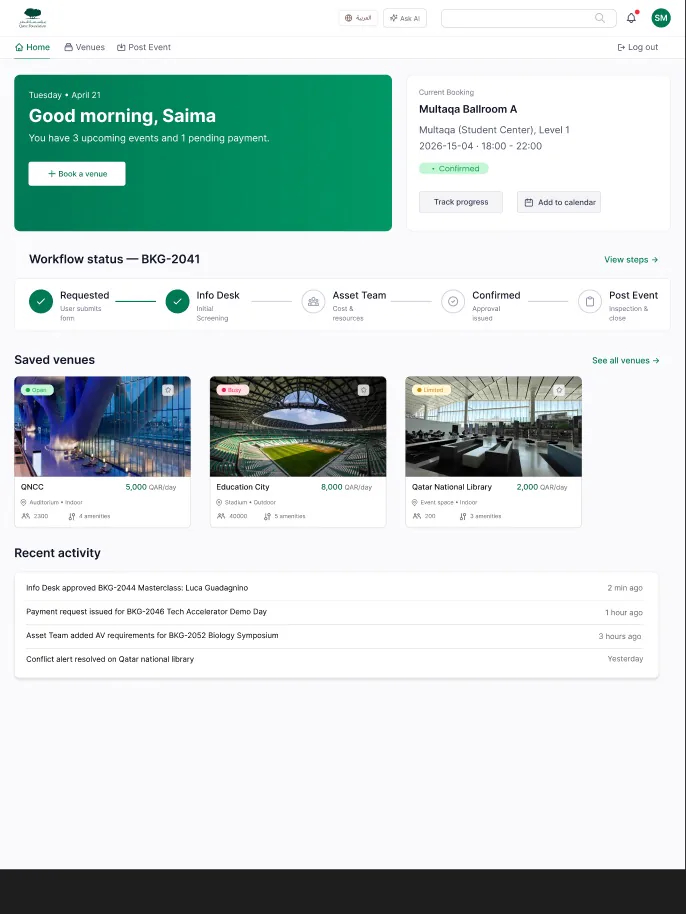
QF end user home
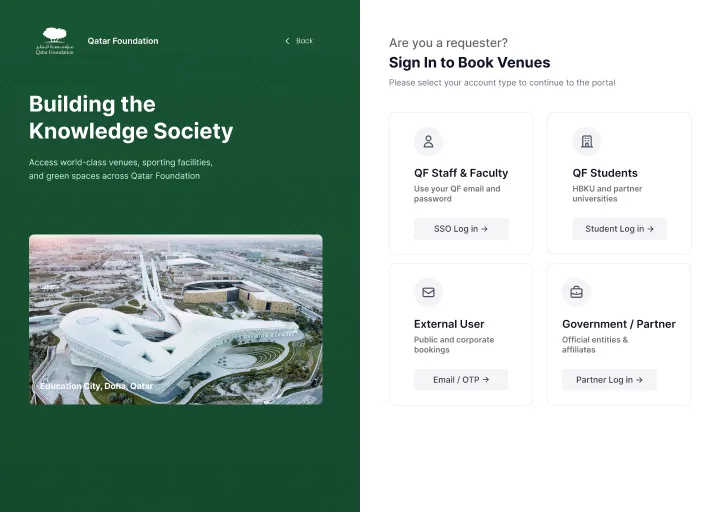
QF role selection
QF booking review
QF venues
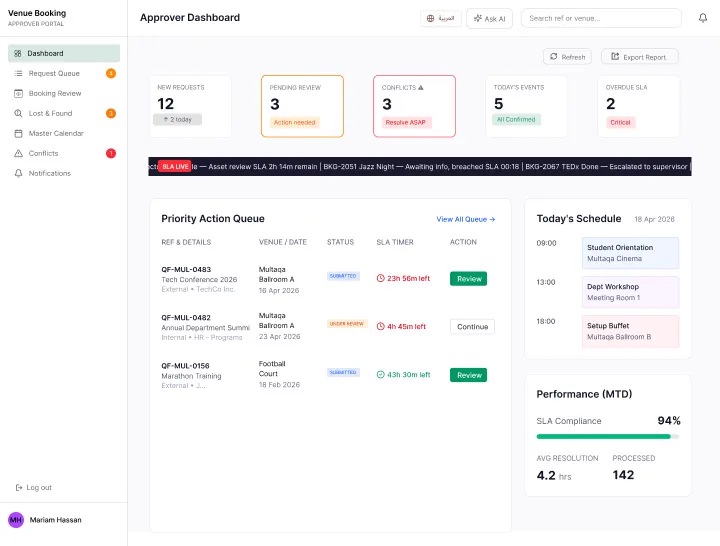
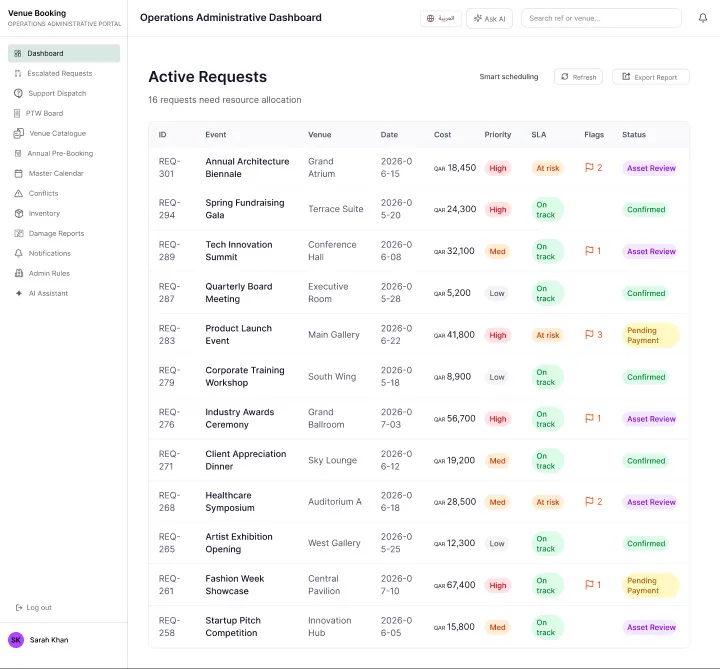
QF info desk dashboard
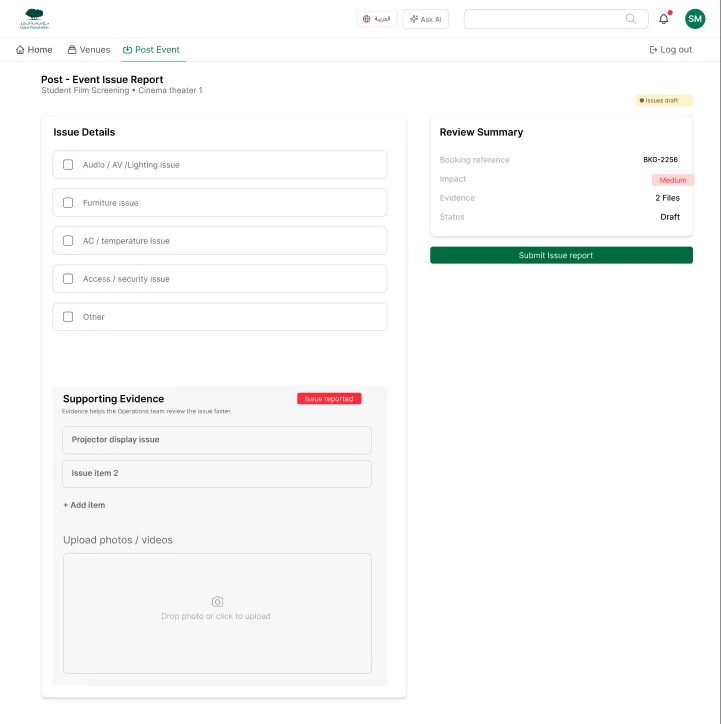
QF post event
  • ↗Find and compare.
  • ↗Request with confidence.
  • ↗Approve and track.
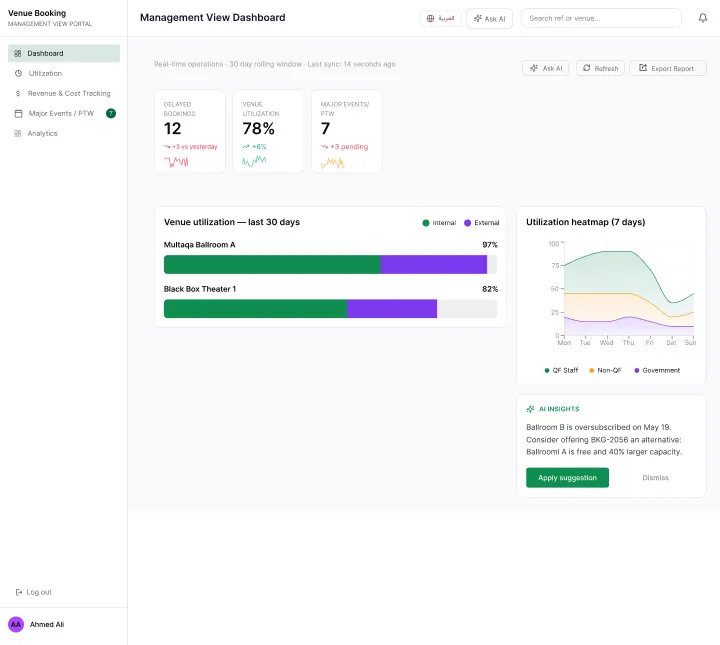
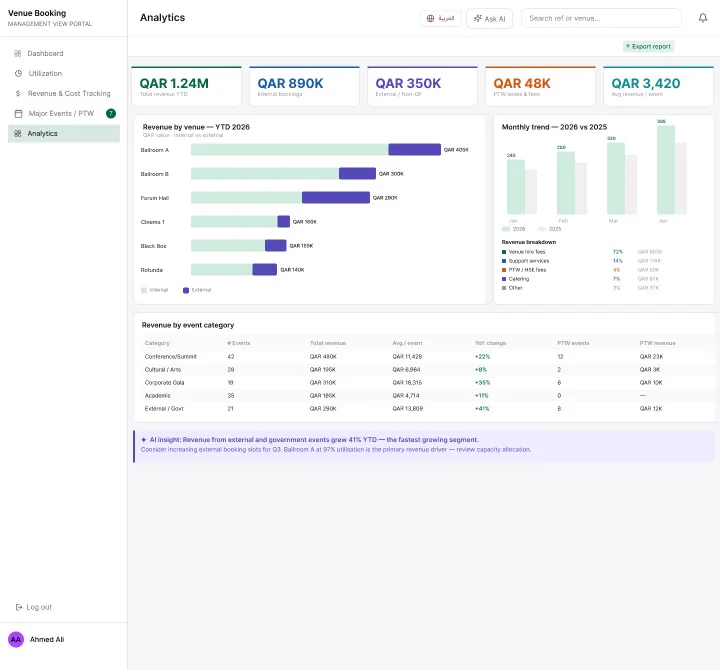
  • ↗Operate and report.
QF venue details
QF executive dashboard
QF revenue dashboard
QF new booking
QF asset team dashboard
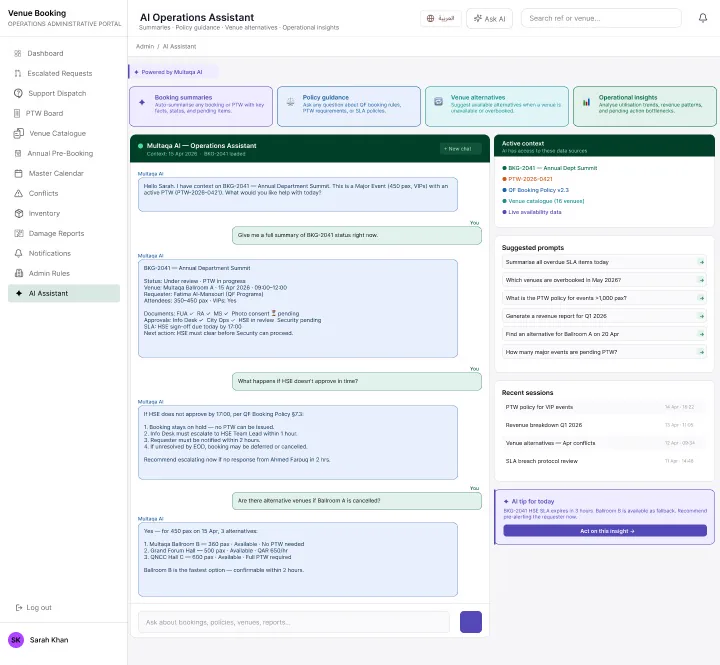
QF AI operations assistant